
··Published by Syed Abdullah Shah·5 min read
How to Find Your Instagram URL (Profile, Post, Reel Links)
Find and copy your Instagram profile URL on iPhone, Android or desktop, plus links to any post, Reel or story. Share it as a link or QR code.
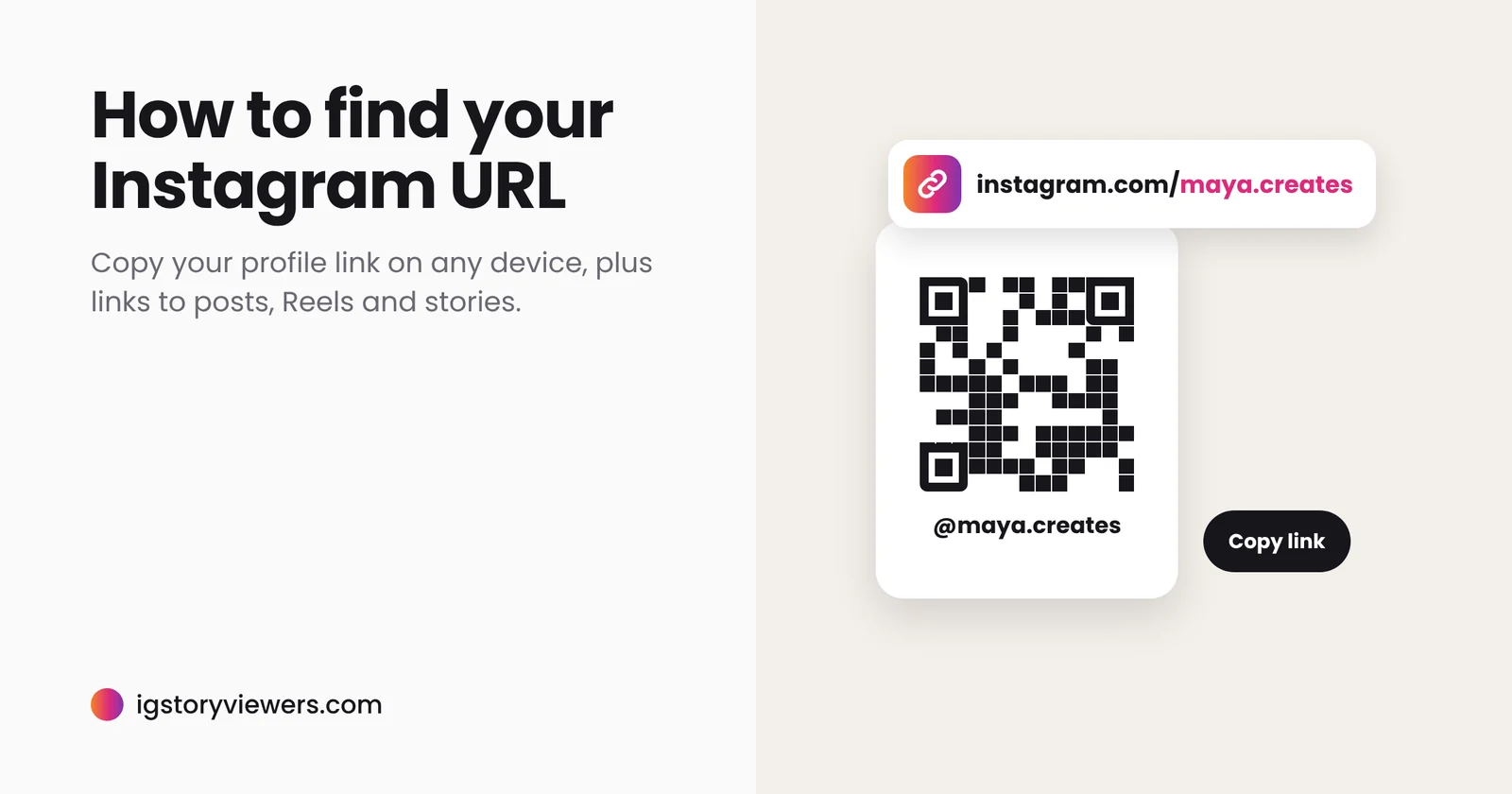
Instagram never shows your profile's web address on screen, so when a form, a bio link tool or a friend asks for your "Instagram URL," it's not obvious where to find it.
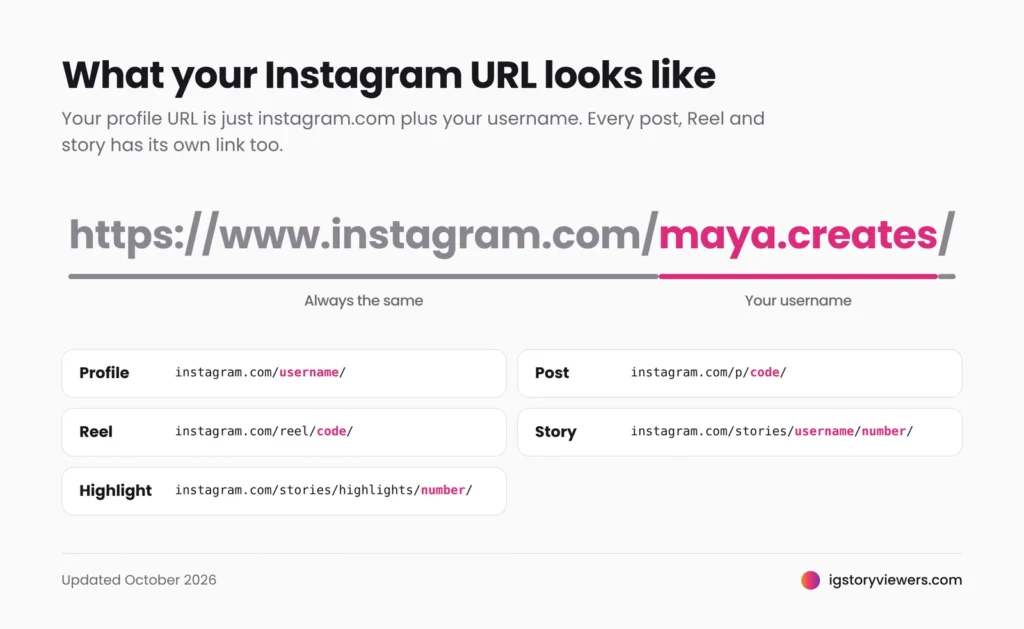
The short answer: your Instagram URL is instagram.com/ followed by your username. If your username is maya.creates, your URL is https://www.instagram.com/maya.creates/. To copy it in the app, open your profile, tap Share profile, then Copy link.
Below is how to get it on any device, how to copy links to individual posts, Reels and stories, and how to fix a link that won't open.
How to find your Instagram profile URL
On iPhone or Android
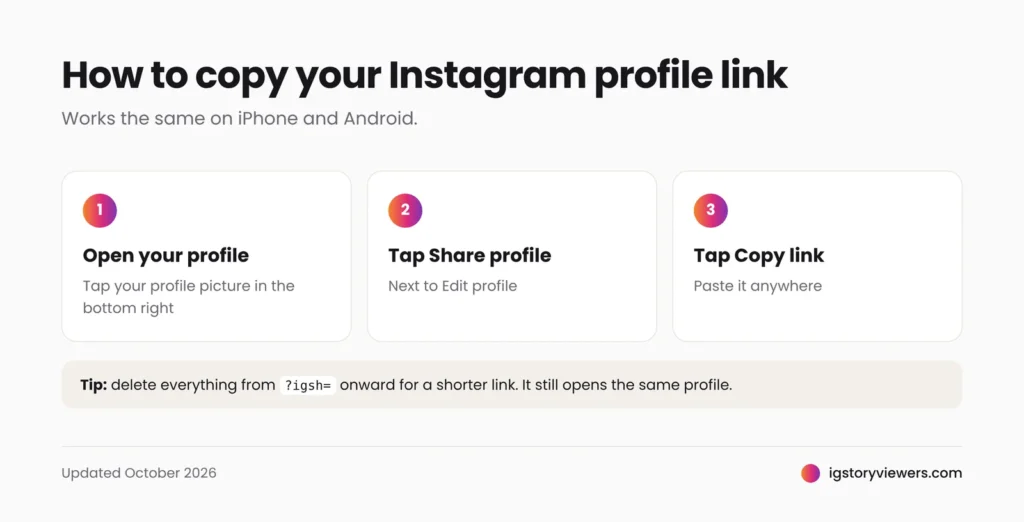
- Open Instagram and tap your profile picture in the bottom right.
- Tap Share profile, next to Edit profile.
- Tap Copy link. Your profile URL is now on your clipboard, ready to paste anywhere.
If you just need to type it, you don't need the app at all: write instagram.com/ and add your username exactly as it appears at the top of your profile.
On a computer
- Go to instagram.com and sign in.
- Click Profile in the sidebar.
- Copy the address from your browser's address bar. That's your profile URL.
Finding someone else's profile URL
The same rule works for any account: instagram.com/ plus their username. In the app, open their profile, tap the three dots (•••) in the top right and choose Copy profile URL or Share this profile. Menu wording varies slightly between app versions. To see someone's full-size profile picture from that URL, paste it into our profile viewer.
How to copy a link to a post, Reel or story
Every post, Reel and story has its own URL, separate from the profile. To copy one, open it, tap the Share icon (paper plane) and choose Copy link. On a computer, open the post and copy the address bar.
You can tell what a link points to from its shape:
| Link type | What the URL looks like |
|---|---|
| Profile | instagram.com/username/ |
| Photo or carousel post | instagram.com/p/code/ |
| Reel | instagram.com/reel/code/ |
| Story | instagram.com/stories/username/number/ |
| Highlight | instagram.com/stories/highlights/number/ |
These links are what our tools use. Paste a Reel or post link into the Instagram video downloader to save it as MP4, or follow our step-by-step guide to download Instagram videos on iPhone, Android and PC. To watch someone's stories, the anonymous story viewer only needs their username or profile URL, and the Highlights viewer opens the stories they've pinned to their profile.
A story link only works for 24 hours, while the story is live. After that it opens nothing, unless the owner saved the story to a Highlight. If a story never appears at all, here's why you can't see someone's Instagram story.
How to share your Instagram profile
The Share profile button opens your profile card, a shareable card with a QR code on the front and your photo, username and bio on the back. From there you can:
- Copy link to paste your URL into a message, email or bio-link tool.
- Share straight to WhatsApp, Facebook, X, Threads and other apps.
- Add to story to promote your account to your existing followers.
- Download the card to print it for a shop counter, event badge or business card.
Anyone can scan the QR code with their phone camera to open your profile, no typing needed. You can change the card's color or background with the pencil icon in the top right. For a full tour of every card option, Make Tech Easier has a detailed guide to Instagram profile cards.
Should you share the link or the QR code?
Use the link anywhere people will click: messages, emails, websites and other social profiles. Use the QR code anywhere people will look at a screen or paper with their phone in hand, like posters, menus, slides or packaging.
Clean up a copied link before sharing
Links copied from the app often end with tracking text, such as ?igsh= followed by a string of letters, or ?utm_source=ig_web_copy_link. The link still works, but everything from the ? onward is optional. Delete it for a shorter, cleaner URL in your bio, CV or website.
For example, instagram.com/maya.creates?igsh=MWx0... becomes instagram.com/maya.creates.
When an Instagram link doesn't work
| What happens | Likely reason and fix |
|---|---|
| "Sorry, this page isn't available" | The username changed, the account was deleted, or the post was removed. Search the person's name in Instagram |
| Profile opens but posts don't | The account is private. Only approved followers can see its posts |
| Story link opens nothing | Stories expire after 24 hours |
| Link opens the wrong account | A typo, or a dot or underscore is missing from the username |
| Your old link stopped working | You changed your username. Instagram doesn't redirect old usernames, so update your link everywhere you posted it |
That last row catches a lot of people. If you rename your account, update your bio links, website and business cards straight away.
Thinking of starting over with a new account? Download a copy of your Instagram data first, so you keep your posts and messages.
FAQ
What is Instagram's website address?
It's https://www.instagram.com. Add a username after the slash to reach any profile.
Is my Instagram URL the same as my username?
Almost. Your URL is your username with instagram.com/ in front of it. Change your username and your URL changes with it.
Can I see my Instagram URL without the app?
Yes. Sign in at instagram.com in any browser, open your profile and copy the address bar.
Can people open my profile link if my account is private?
They'll see your name, photo, bio and follower count, but not your posts or stories until you approve their follow request. No outside tool can get around that, as we explain in can you download private Instagram stories?
Does sharing my profile link notify anyone?
No. Copying or sharing a link doesn't notify you or anyone else.
Use your link
Got a profile URL or username? Paste it into the IG Story Viewers story viewer to watch that account's public stories, no login needed. Got a Reel or post link? The video downloader saves it in seconds.
Keep reading
- Instagram Tips
How to See Your Old Instagram Stories (and Your Watch History)
Instagram saves your expired stories in a private archive. Find them in a minute, fix an empty archive, restore deleted stories and check your Reels watch history.
- Instagram Tips
How to Share an Instagram Post to Your Story (or a DM)
One button handles almost all sharing on Instagram. Here's how to put a post on your story, send it in a DM or copy its link.
- Instagram Tips
Does Instagram Notify When You Screenshot a Story? (2026)
Instagram doesn't tell anyone when you screenshot or screen record a story. Here's where screenshots do matter in DMs, plus every rule in one table.