
·Published by Syed Abdullah Shah·6 min read
How to Know If Someone Blocked You on Instagram (7 Signs)
Instagram sends no alert when someone blocks you. These 7 signs and one logged-out test show whether it's a block, a restrict or a deactivated account.
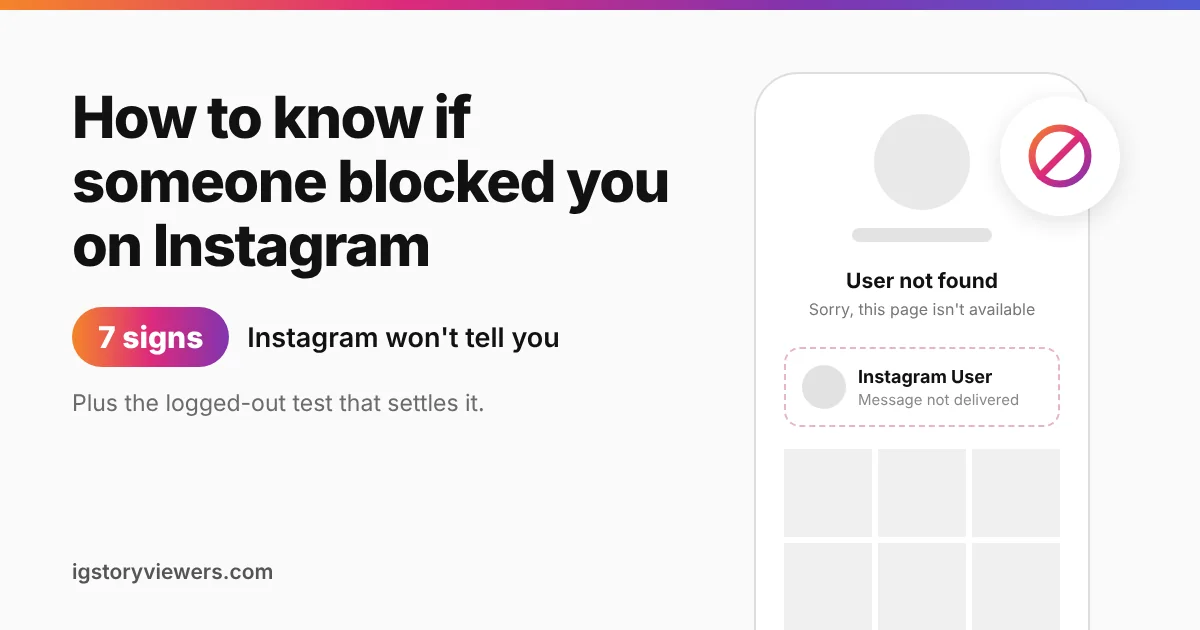
Instagram's own Help Center says it in one line: people aren't notified when you block them. No alert, no badge, no list of who blocked you. So if a friend's profile suddenly looks empty, you have to read the clues yourself.
The short answer: You can't see a list of who blocked you on Instagram. You can spot a block by checking a few signs together. Their profile vanishes from search, your DMs stop going through, and a logged-out check still shows their account. One sign alone can mean something else, like a deactivated account.
We run a public profile viewer, so we see every day how Instagram profiles look from the outside. Below are the seven signs, a quick test that settles it, and how a block differs from restrict, mute and deactivation.
7 signs someone blocked you on Instagram
Check these in order. The more of them you see at once, the more likely it's a block.
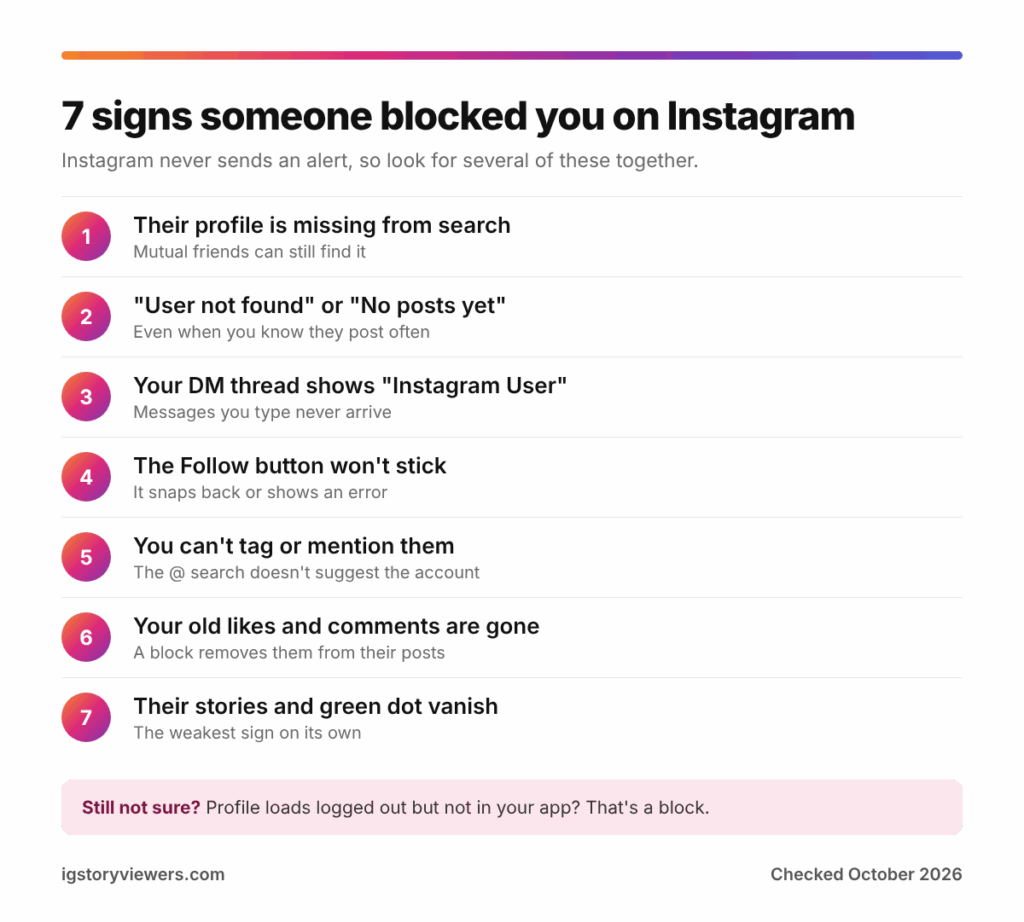
1. Their profile is missing from search
Type their exact username into the search bar. If you're blocked, the account usually won't show up, even though mutual friends can still find it. Search can lag for a day or two after a block, so a profile that still appears isn't proof of anything yet.
2. Their profile says "User not found" or "No posts yet"
Open the profile from an old DM, a tag or a friend's follower list. A blocked user often sees "Sorry, this page isn't available" or "User not found." In some app versions, the profile loads but shows "No posts yet," even when you know they post often.
3. Your DM thread looks different
Old conversations stay in your inbox after a block. Their photo may turn into a gray icon, and their name may show as "Instagram User." You can still type a message, but it won't reach them.
4. The Follow button won't stick
A block removes you from their followers and them from yours. If you tap Follow, the button snaps back or shows an error. Your follower count may also drop by one without explanation.
5. You can't tag or mention them
Try typing @ and their username in a comment or story. Instagram won't suggest the account, and a typed mention won't link to it. Older tags of them in your posts may also go blank.
6. Your old likes and comments are gone
When someone blocks you, Instagram removes your likes and comments from their posts. A friend can check a post where you know you commented. If your comment has vanished from their view too, that's a strong sign.
7. Their stories and green dot disappear
A block hides their stories and their active status from you. This sign is the weakest on its own. People hide stories from select viewers, post to Close Friends or simply stop posting. Our guide on why you can't see someone's story covers those other reasons.
The logged-out test that settles it
Every sign above can also mean the account was deleted or deactivated. One check separates the two. You look at the profile from somewhere Instagram doesn't know is you.
- Open a private or incognito browser window, so you're not logged in.
- Go to instagram.com/ followed by their username.
- Compare what you see with what your own app shows.
If the profile loads logged out but not in your app, you're almost certainly blocked. When it's missing everywhere, the account is likely deactivated, deleted or renamed. Instagram sometimes shows a login wall in a browser, so you can also paste the username into our profile viewer. It shows a public profile's photo, bio and follower counts without logging in.
This test only works for public accounts. With a private account, ask a mutual friend whether the profile still shows up for them.
Blocked, restricted, muted or deactivated?
Instagram has four ways to pull back from someone, and each one looks different from your side. A block is the only one that hides the whole profile from you.
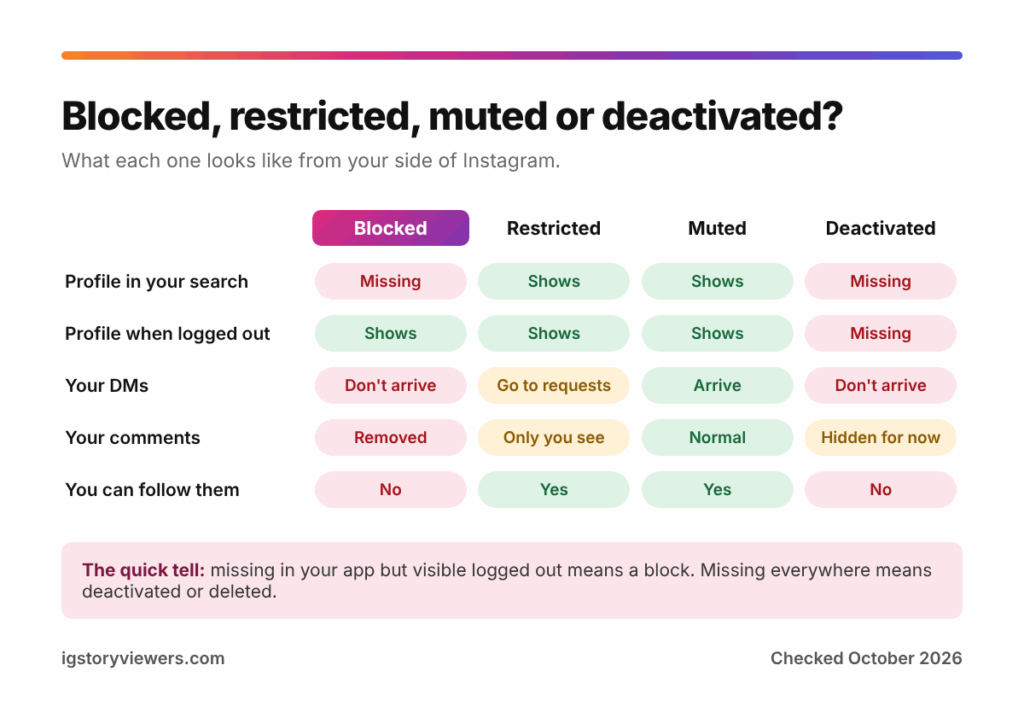
| What you notice | Blocked | Restricted | Muted | Deactivated |
|---|---|---|---|---|
| Profile in your search | Missing | Shows | Shows | Missing |
| Profile when logged out | Shows | Shows | Shows | Missing |
| Your DMs | Don't arrive | Go to their requests | Arrive as normal | Don't arrive |
| Your comments on their posts | Removed | Only you see new ones | Normal | Hidden for now |
| You can follow them | No | Yes | Yes | No |
Restrict arrived in October 2019 as a quieter option for bullying. A restricted person can still see the profile and follow it. Their new comments are visible only to them, and they can't tell when the other person is online or has read their messages.
Muting is the softest option. The person stops seeing your posts or stories in their feed, but nothing changes on your end. You can't detect a mute at all.
Deactivation is temporary and affects everyone, not just you. The account comes back as soon as the owner logs in again.
What a block does and doesn't do
A block is two-way in practice. Neither of you can see the other's posts, stories or follower lists while it lasts. Each of you also drops out of the other's followers.
Since October 2022, people can block an account and any new accounts its owner creates. So making a second account to get around a block often fails, and it breaks Instagram's rules anyway.
Blocks don't touch your account in any other way. Your posts, followers and settings stay the same. Comments you left on mutual friends' posts stay up.
What to do if you think you've been blocked
Start by ruling out the simple causes. Update the app, check your connection and search for a new username. People rename accounts more often than you'd think, as our guide on finding an Instagram profile URL shows.
If the signs still point to a block, the kindest move is to respect it. A block is a clear choice about who sees someone's content. If you think it was a mistake, one short message through a mutual friend or another app is fine. Repeated attempts usually make things worse.
Worried you've blocked someone by accident yourself? Go to Settings and activity, then Blocked, to see your full list. You can unblock anyone there, though you'll need to follow each other again.
FAQ
How can I see who blocked me on Instagram?
Instagram has no list of people who blocked you. You can only check one account at a time using the signs and the logged-out test above.
Does Instagram tell you when someone blocks you?
No. Instagram sends no notification to either side when someone blocks or unblocks an account.
Can you message someone who blocked you on Instagram?
You can still type in an old thread, but the messages never arrive. Starting a new conversation won't work either, since the account won't appear in search.
When someone blocks you on Instagram, do your messages disappear?
The old thread usually stays in your inbox with past messages intact. Their photo and name may change to a generic icon and "Instagram User."
Can someone who blocked you see your profile?
Not while the block is active, at least not from that account. They'd have to unblock you first, which also doesn't notify you.
What happens when someone unblocks you?
Their profile reappears in your search, and messages work again. You won't be following each other anymore, so either of you has to follow again.
The bottom line on Instagram blocks
Instagram never tells you who blocked you, so you rely on signs. A missing profile, a "User not found" page and DMs that won't send are the strongest ones. The logged-out test tells a block apart from a deactivated account in under a minute.
Want to check whether a public profile still exists? Paste the username into our Instagram profile viewer, no login needed.
Keep reading
- Instagram Tips
How to See Your Old Instagram Stories (and Your Watch History)
Instagram saves your expired stories in a private archive. Find them in a minute, fix an empty archive, restore deleted stories and check your Reels watch history.
- Instagram Tips
How to Share an Instagram Post to Your Story (or a DM)
One button handles almost all sharing on Instagram. Here's how to put a post on your story, send it in a DM or copy its link.
- Instagram Tips
Does Instagram Notify When You Screenshot a Story? (2026)
Instagram doesn't tell anyone when you screenshot or screen record a story. Here's where screenshots do matter in DMs, plus every rule in one table.