
·Published by Syed Abdullah Shah·8 min read
How to Tag People on Instagram (Posts, Stories and Reels)
Tap Tag people on posts and Reels, or type @ in stories and comments. Here's every way to tag someone on Instagram, including after posting.
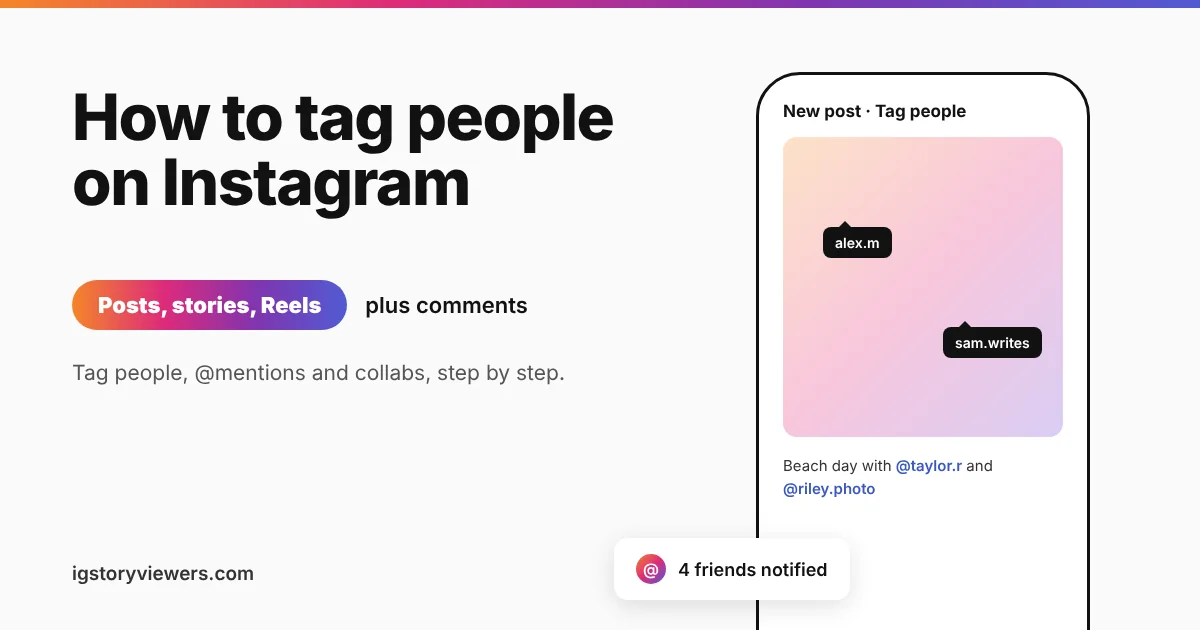
Instagram lets you tag up to 20 people in a single post. Each one gets a notification, and the photo lands on the Tagged tab of their profile. Stories and Reels work a little differently, and that's where most people get stuck.
The short answer: On a post, tap Tag people on the last screen before you share, then tap the photo and pick a username. For a story, type @ and their username, or add the Mention sticker. Captions and comments work with @username too.
Below you'll find the steps for posts, stories, Reels and comments. We also cover how to tag after posting and why a tag sometimes won't work.
Tag vs mention vs collab, what's the difference?
Instagram has three ways to point at another account. They look similar, but each one shows up in a different place.
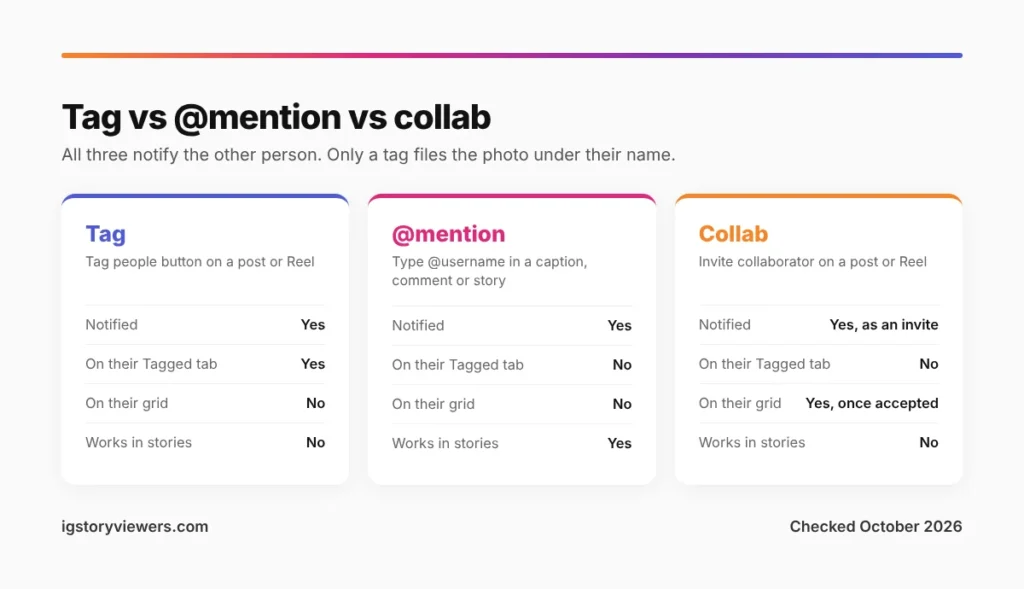
| Type | How you add it | Where it shows up |
|---|---|---|
| Tag | Tag people, on a post or Reel | On the photo, plus the person's Tagged tab |
| @mention | Type @username in a caption, comment or story | As a link in the text. Not on their Tagged tab |
| Collab | Invite collaborator, on a post or Reel | On both profile grids, with both names at the top |
All three send the other person a notification. A tag is the one most people mean, because it files the photo under their name.
How do you tag someone on an Instagram post?
Tagging happens on the final screen, right before you share. You don't need to add anything while editing the photo.
- Tap the + button and choose Post.
- Pick your photo, add any filters and tap Next.
- On the caption screen, tap Tag people.
- Tap the spot on the photo where your friend appears.
- Search their username, then tap their account in the results.
- Drag the label if it covers something, then tap Done and Share.
Carousel posts let you tag each photo on its own. Swipe between them on the Tag people screen and tap to add names to each slide. A friend tagged on slide three only appears on slide three.
The limit is 20 tags per post. If you need more people than that, mention the rest in the caption.
How to tag someone on an Instagram post after posting
Forgot someone? You can add tags to a live post without deleting it.
- Open the post on your profile.
- Tap the three dots in the top right and choose Edit.
- Choose Tag people in the bottom left of the photo.
- Tap the photo, find the account and tap Done.
- Save with the checkmark at the top.
The new tag sends a notification, the same as a tag added before sharing. Your followers won't get any alert about the edit.
How to tag on an Instagram story
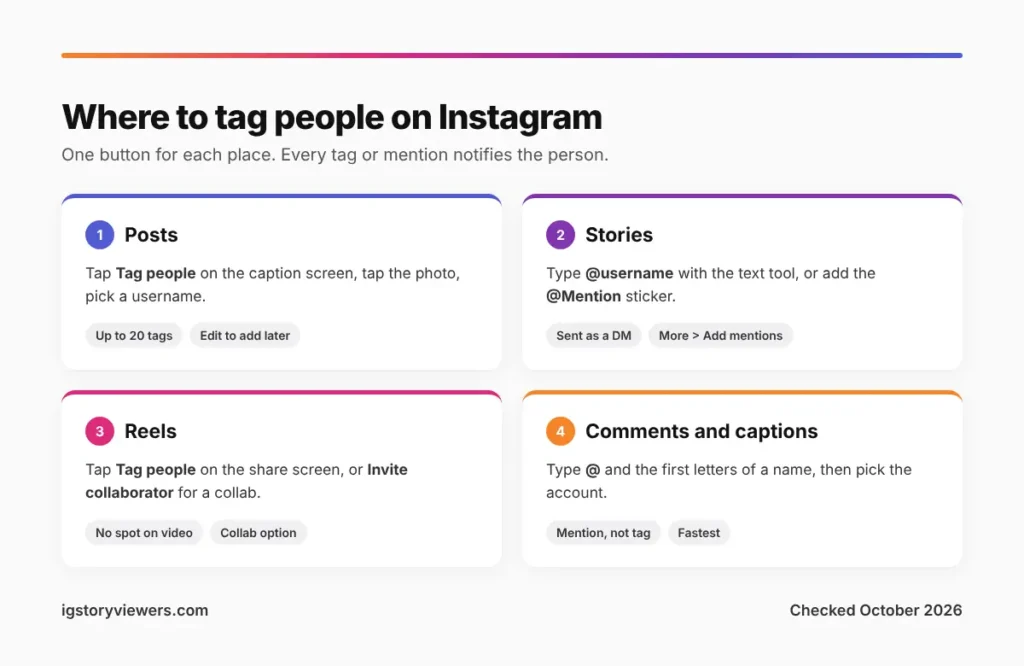
Stories don't have a Tag people button. You mention people instead, and there are two ways to do it.
- Text tool: tap Aa, type @ and the first few letters of the username, then pick the account from the list.
- Mention sticker: tap the sticker icon, choose @Mention and type the username. The sticker stands out more than plain text.
Mentioned accounts get a DM saying you mentioned them. If their account allows it, they can tap Add to story and reshare your story on their own.
Want the mention without the clutter? Shrink the text and slide it off the edge, or hide it behind a GIF. The notification still goes out.
How to tag someone on an Instagram story after posting
Stories can't be edited once they're live, but Instagram lets you add mentions afterwards. Open your story, tap More (the three dots) and choose Add mentions. Search the username and tap Add.
This option rolled out in 2024 and still isn't on every account. If you don't see it, delete the story and post it again with the mention included.
How to tag people in Instagram Reels?
Reels follow almost the same steps as posts. After you edit your Reel and tap Next, look for Tag people on the share screen.
- Tap Tag people.
- Choose Add tag and search for the account.
- Tap their name, then go back and share.
Video tags don't sit on a spot in the frame. Viewers tap the small person icon in the corner to see who's tagged. To add tags to a Reel that's already live, tap the three dots, choose Edit and use Tag people the same way.
Use a collab instead of a tag
On the same Tag people screen, you'll see Invite collaborator. A collaborator gets an invite rather than a tag. Once they accept, the post or Reel shows on both profiles and pools the likes and comments.
Collabs suit joint content, like a shared trip or a brand partnership. For "my friend is in this photo", a plain tag is enough.
How to tag a friend in an Instagram comment
Comments are the quickest way to show someone a post. Tap the speech bubble under any post, type @ and start typing their name. Instagram suggests matching accounts as you go.
Your friend gets a notification that you mentioned them in a comment, with a link to the post. Mentions in captions work exactly the same way.
Why can't I tag someone on Instagram?
A missing name in the search list usually comes down to one of these.
- Their tag settings block you. People can allow tags from everyone, only accounts they follow, or no one.
- They blocked you. Blocked accounts never show up when you search to tag. Our guide on how to know if someone blocked you on Instagram has the full checklist.
- You hit the limit. A post already holds 20 tags, so the 21st won't stick.
- The username changed. Search by their display name, or find them in a mutual friend's list.
- The app is out of date. Update Instagram, then try again.
Private accounts can still be tagged. Only people who follow them will see the photo on their Tagged tab, though.
Control who can tag you
The same settings that stop others can protect you. Open your profile, tap the three lines and go to Settings and activity > Tags and mentions.
- Allow tags from: Everyone, People you follow, or Don't allow tags.
- Manually approve tags: new tags wait for your OK before they appear on your profile.
- Allow @mentions from: the same three choices, for captions, comments and stories.
To remove yourself from a photo you're already tagged in, tap the photo, tap your name and choose Remove me from post. The post stays up, but it drops off your Tagged tab.
Where to find tagged photos on Instagram
Every profile has a Tagged tab. It's the icon of a person in a square, next to the Reels icon above the grid.
On your own profile, it lists every post you've been tagged in and haven't hidden. Anyone can open the tab on a public profile from the app. A private account's Tagged tab stays locked until they accept your follow request.
Looking for an "Instagram tagged photo viewer"? You don't need one for public accounts, as the tab is free in the app. Our Instagram profile viewer shows a public profile's posts without logging in, but it doesn't show the Tagged tab.
FAQ
Does Instagram notify someone when you tag them?
Yes. Tags, @mentions and collab invites all send a notification. The only exception is when their settings block tags from you, in which case the tag never goes through.
How do you tag someone on Instagram without them knowing?
You can't. Any working tag or mention sends a notification. Writing their name without the @ is the only way to name them quietly, and it won't link to their profile.
Can you add a link to an Instagram post?
Captions don't turn web links into clickable links. A tag or @mention is the closest thing, because it links straight to that person's profile. To share your own profile, see how to find your Instagram URL.
Can you tag someone who doesn't follow you?
Yes, as long as their tag settings allow tags from everyone. If they only allow tags from people they follow, their name won't appear in the search.
Why don't tagged photos show on my profile?
Either you turned on Manually approve tags, or you hid those posts. Check Settings and activity > Tags and mentions for pending tags waiting for approval.
How many people can you tag in an Instagram post?
Up to 20 per post. Need more than that? Mention the extra people in the caption, since caption mentions are separate from tags.
The bottom line on tagging people on Instagram
Use Tag people on posts and Reels, and use @mentions in stories, captions and comments. Both notify the person, but only a tag puts the photo on their Tagged tab.
Forgot someone? Edit the post, or add a mention to your story from the More menu. If a name won't come up, their tag settings are the usual reason.
Keep reading
- Instagram Tips
How to See Your Old Instagram Stories (and Your Watch History)
Instagram saves your expired stories in a private archive. Find them in a minute, fix an empty archive, restore deleted stories and check your Reels watch history.
- Instagram Tips
How to Share an Instagram Post to Your Story (or a DM)
One button handles almost all sharing on Instagram. Here's how to put a post on your story, send it in a DM or copy its link.
- Instagram Tips
Does Instagram Notify When You Screenshot a Story? (2026)
Instagram doesn't tell anyone when you screenshot or screen record a story. Here's where screenshots do matter in DMs, plus every rule in one table.