
··Published by Syed Abdullah Shah·8 min read
How to Hide Your Instagram Story From Someone (and Mute Theirs)
Keep one person out of your Instagram stories, or mute theirs, without unfollowing. Here are the exact steps and what the other person can still see.
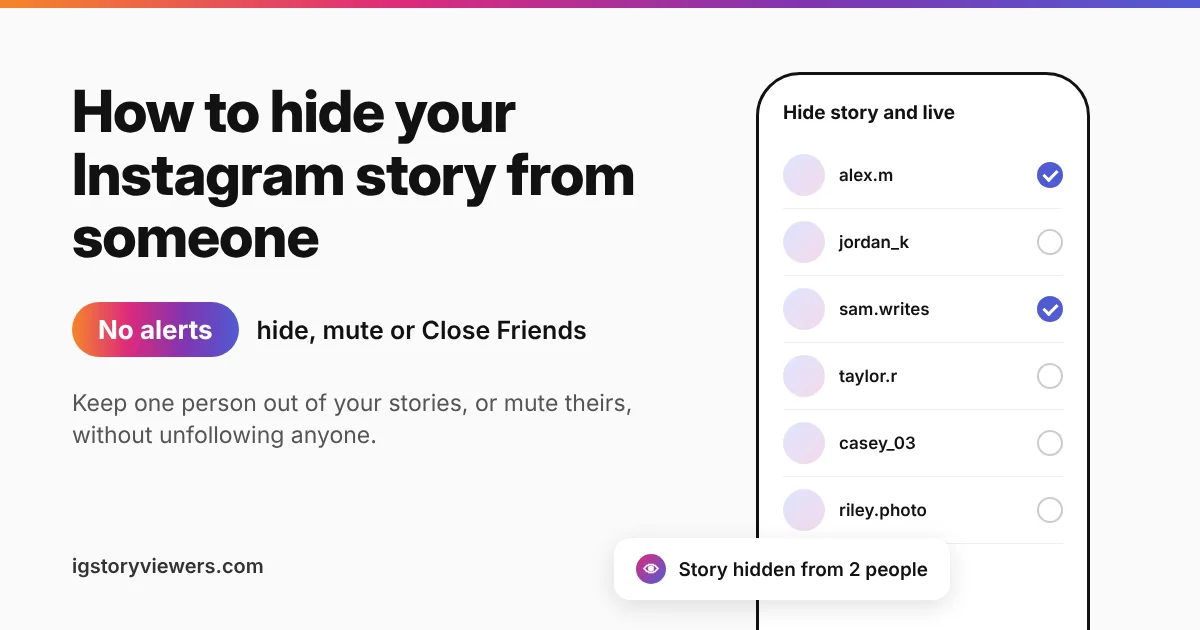
Instagram's story privacy switch has a name most people have never seen. It's called Hide story and live, and it sits under "Who can see your content" in your settings. Pick an account there and your stories and Live videos vanish for that one person. They aren't told, and they still see your posts.
The short answer: Open Settings and activity > Hide story and live from your profile menu and select the person. To stop seeing their story, press and hold their picture in the stories row and tap Mute. Neither action sends a notification.
This guide covers both sides, plus Close Friends and how hiding compares with blocking. If you're the one missing a story, see why you can't see someone's Instagram story.
How to hide your Instagram story from someone in Settings
The Settings route works before or after you post, and it covers every future story too.
- Open your profile and tap the three lines in the top right.
- Tap Settings and activity.
- Scroll to Who can see your content and tap Hide story and live.
- Search for the account and tap the circle next to their name.
- Tap Done on iPhone, or the back arrow on Android.
You can select as many people as you like. The setting stays on until you remove them, so you won't need to repeat it for each new story.
Hide it from the viewer list after you post
Spotted someone in your viewers you'd rather keep out? You can hide the story from them right there.
- Open your story and swipe up to see who viewed it.
- Tap the three dots next to the person's name.
- Choose Hide your story.
They've already seen the slides they watched, and that can't be undone. From then on, the rest of your story and anything new stays hidden from them. Our guide on who viewed your Instagram story explains how the viewer list works.
Hide it from their profile
A third option lives on the person's own page. Open their profile, tap the three dots in the top right and choose Hide your story. It adds them to the same list you'd find in Settings.
What a hidden person can still see
Hiding your story is a narrow tool. It removes stories and Live videos, and leaves the rest of your account alone. Instagram's own Help Center page on hiding your story describes it the same way.
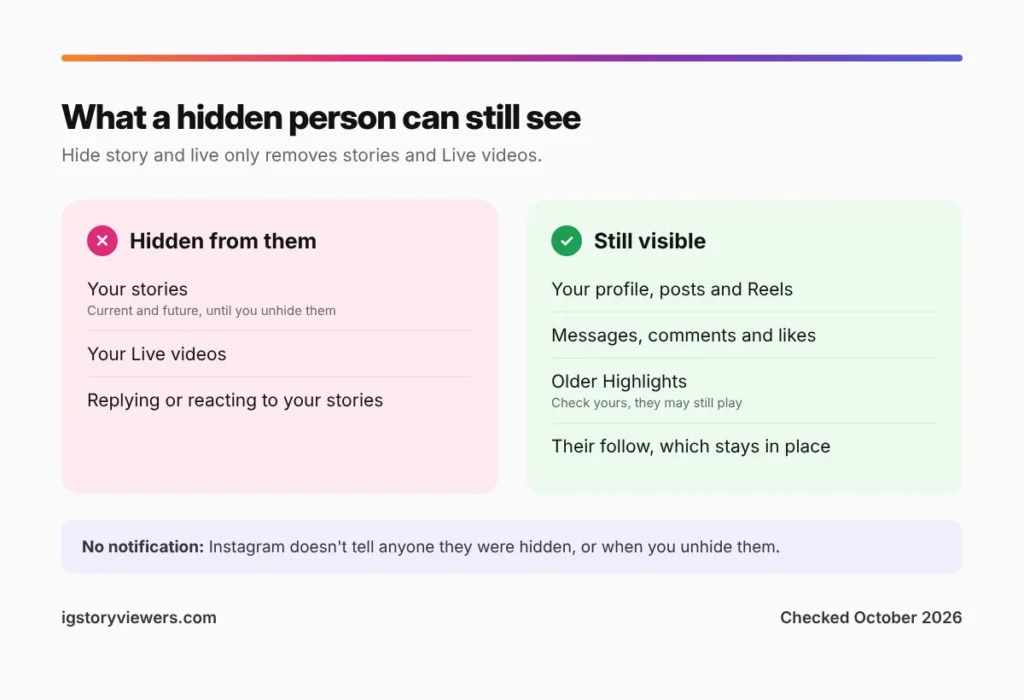
| Part of your account | Can a hidden person see it? |
|---|---|
| Your stories, current and future | No |
| Your Live videos | No |
| Posts, Reels and your profile | Yes |
| Highlights on your profile | Check yours. Older highlights may still play for them |
| Messages, comments and likes | Yes, nothing changes |
| Your follower count and their spot in it | Yes, they still follow you |
Highlights deserve a quick check. Reports differ on whether highlights saved before the hide stay visible. If one holds something private, remove that story from the highlight to be sure.
Share a story with only a few people using Close Friends
Hiding works best for one or two people. When you want the opposite, a small private audience, Close Friends is the better fit.
- Go to Settings and activity > Close Friends.
- Search for people and tap Add, then tap Done.
- Make your story as usual, then tap Close Friends (the green star) instead of Your story.
Only people on the list see that story, with a green ring around your picture. Instagram doesn't tell anyone they were added or removed. The green ring itself shows people they're on the list, though.
More options may arrive soon. In March 2026, Meta confirmed it was testing a paid Instagram Plus plan in a few countries. Subscribers in the test can build several story audience lists, not just one Close Friends group. Most people don't have it yet.
How to mute someone's story without unfollowing
Muting is the tool for the other direction. You keep following the person, but their stories stop showing up at the front of your tray.
Pick whichever spot is closest.
- From the stories row: Press and hold their profile picture, tap Mute, then choose Mute story.
- From their profile: Tap Following > Mute and turn on Stories. Toggles for Posts and Notes sit on the same screen.
- From a post in your feed: Tap the three dots on their post, then pick the option to mute the account.
Muted stories move to the end of your tray, turn gray and stop playing automatically. They're still there if you tap them. Instagram's mute guide covers the feed side of this.
Muting doesn't cover messages
Muting posts and stories leaves your chat with them untouched. To quiet their messages, open the chat, tap their name at the top and turn on Mute messages. Calls have their own toggle on the same screen.
One more catch trips people up. Opening a muted person's story still puts your name on their viewer list. Muting changes your feed, not what they see.
Hide vs mute vs restrict vs block
These four settings get mixed up all the time. Each one controls a different direction, and only blocking cuts both ways.
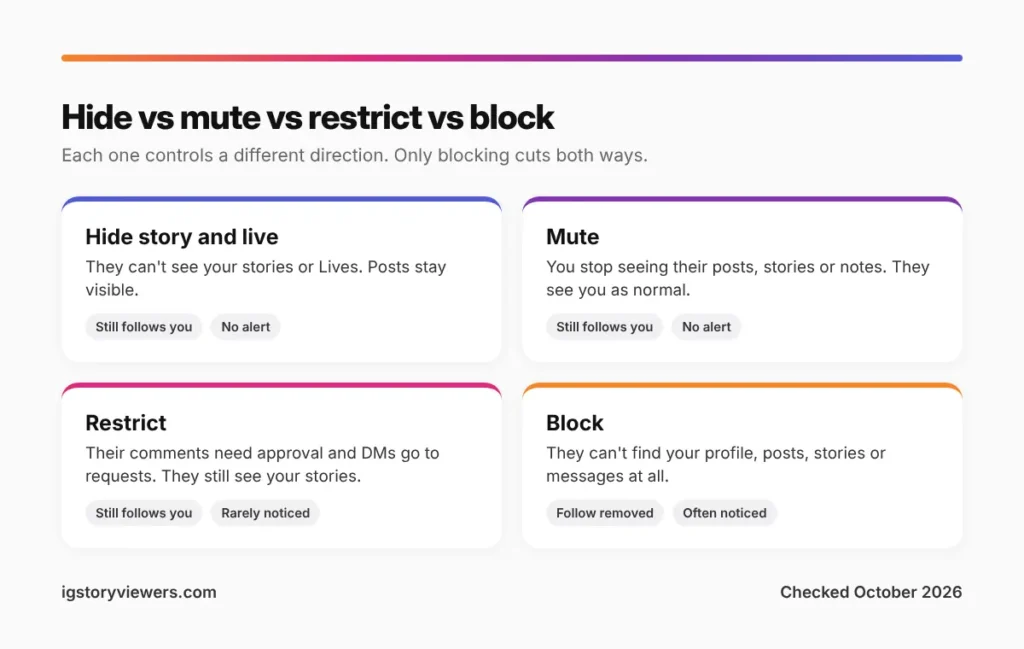
| Setting | What it does | Still follows you? | Can they tell? |
|---|---|---|---|
| Hide story and live | They can't see your stories or Lives | Yes | Not directly |
| Mute | You stop seeing their posts, stories or notes | Yes | No |
| Restrict | Their comments need your approval and their DMs go to requests | Yes, and they still see your stories | Rarely |
| Block | They can't find your profile, posts, stories or messages | No, the follow is removed | Often, from the signs it leaves |
Restrict surprises people the most. A restricted person can still watch every story you post, so pair it with Hide story and live if you want both. Our guide on how to know if someone blocked you lists the signs a block leaves behind.
On a private account, removing a follower also works. They lose your stories and posts until you approve a new request.
Will they know you hid your story or muted them?
Instagram never sends an alert for either one. Adam Mosseri, the head of Instagram, has called muting "a private action", and hiding your story works the same quiet way.
People can still put the clues together. A hidden person never sees a ring on your picture, even when friends mention your latest story. Someone who checks your profile from a second account would notice the difference too. If staying unnoticed matters, a story to Close Friends draws less attention than hiding from a single person.
Muting leaves even fewer clues. Your likes and views on their posts might drop, and that's about it.
How to unhide your story or unmute someone
Both settings undo in a few taps, and the other person isn't told about that either.
- Unhide your story: Go to Settings and activity > Hide story and live and tap the circle next to their name to clear it.
- Unmute someone: Open their profile, tap Following > Mute and switch the toggles off.
- See everyone you've muted: Go to Settings and activity > Muted accounts.
Once unhidden, they'll see your active story and everything you post after it.
FAQ
Can you hide one specific story from someone?
Not directly. Hide story and live applies to every story until you turn it off. For one story, post it to Close Friends, or hide the person, post, then unhide them after the story expires.
Does hiding your story from someone also hide your posts?
No. They still see your profile, posts and Reels, and they stay a follower. Only stories and Live videos are hidden.
Can you hide your story from someone who doesn't follow you?
Yes. On a public account, anyone can open your story, and you can add any account to the hide list. That includes people who've never followed you.
If I mute someone's story, can they see that I watched it?
They can. Muting only changes your tray. When you open their story, your name appears on their viewer list like any other view.
Can someone still see my story through an anonymous viewer?
If your account is public, yes. Tools like our story viewer show public stories to anyone with the username, and they don't sign in as the person you hid. To keep a story truly limited, make your account private or post to Close Friends. Our post on viewing Instagram stories anonymously explains how this works.
How do I know if someone hid their Instagram story from me?
Instagram won't tell you. The usual clue is a profile with fresh posts but no story ring for weeks, while mutual friends mention their stories. Our guide on why you can't see someone's story walks through the other causes first.
The bottom line on hiding and muting stories
Use Hide story and live to keep one person out of your stories, and Close Friends to share with a small group. Mute the people whose stories you'd rather skip. All three are silent, quick to undo and leave your follower list as it is.
Remember that a public account's stories are public. If someone you hid could find them anyway, a private account is the stronger lock.
Keep reading
- Instagram Tips
How to See Your Old Instagram Stories (and Your Watch History)
Instagram saves your expired stories in a private archive. Find them in a minute, fix an empty archive, restore deleted stories and check your Reels watch history.
- Instagram Tips
How to Share an Instagram Post to Your Story (or a DM)
One button handles almost all sharing on Instagram. Here's how to put a post on your story, send it in a DM or copy its link.
- Instagram Tips
Does Instagram Notify When You Screenshot a Story? (2026)
Instagram doesn't tell anyone when you screenshot or screen record a story. Here's where screenshots do matter in DMs, plus every rule in one table.