
·Published by Syed Abdullah Shah·5 min read
Instagram Suggested for You: What It Means and How It Works?
What "Suggested for you" means on Instagram, how it picks accounts and posts, what it doesn't reveal, and how to turn suggestions off.
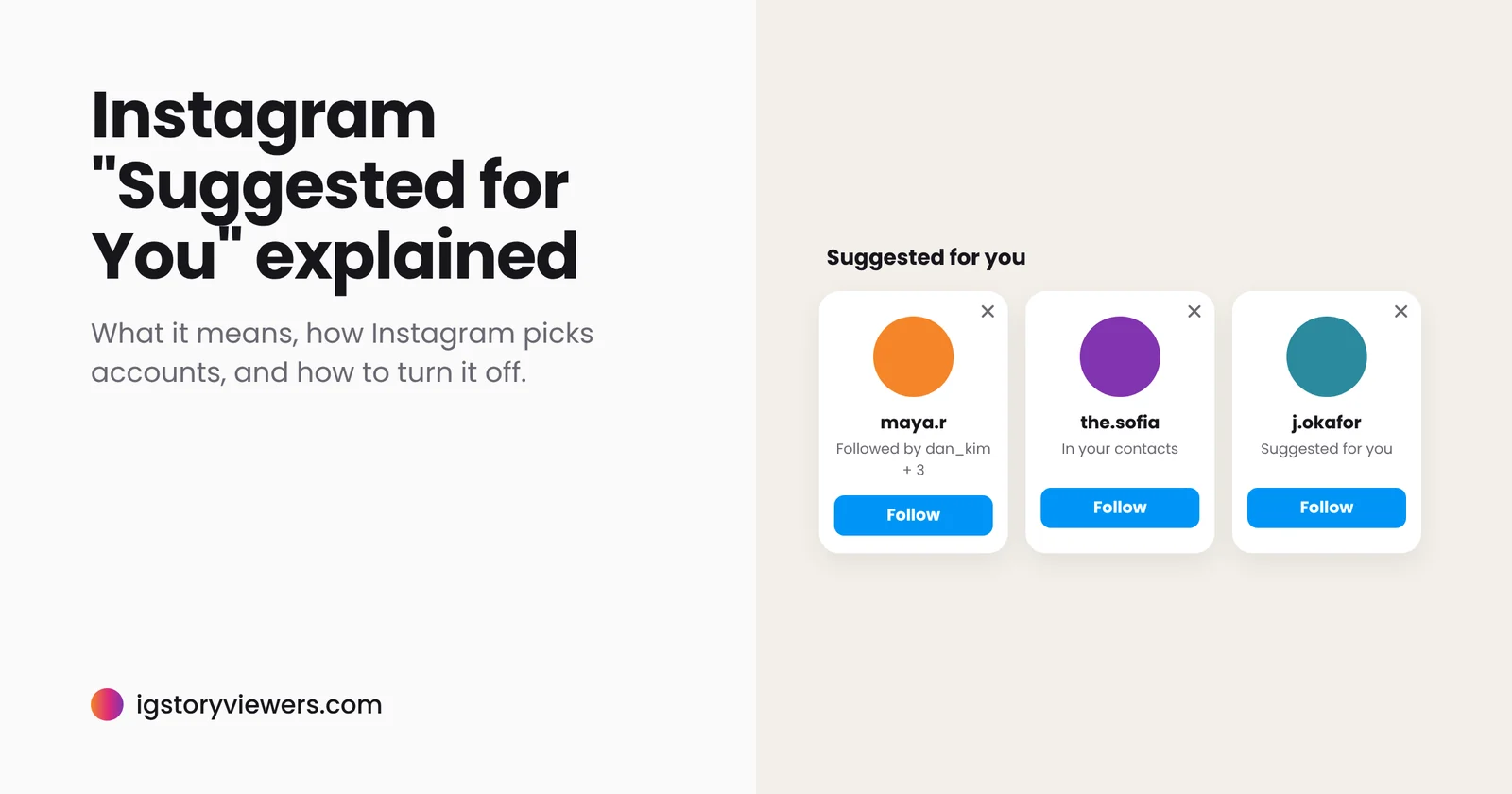
You open Instagram and see "Suggested for you" above a row of accounts, some strangers, some people you haven't spoken to in years. It's natural to wonder how Instagram picked them, and whether it means those people have been looking at your profile.
The short answer: "Suggested for you" is Instagram's recommendation system. It shows accounts and posts it predicts you'll want to see, based on who you follow, who you interact with, your synced contacts, Facebook connections and what's popular with similar users. A suggestion doesn't mean that person viewed your profile or searched for you. You can snooze suggested posts for 30 days and remove any suggested account with one tap.
The two kinds of "Suggested for you"
The same label appears in two places, and they work a little differently.
| Suggested accounts | Suggested posts | |
|---|---|---|
| Where you see it | A row of profiles in your feed, on profiles you visit, and after you follow someone | Posts and Reels in your feed from accounts you don't follow |
| What it's for | Finding people to follow | Showing content you might like |
| Main signals | Mutual connections, contacts, Facebook friends | Posts you've liked, saved, shared and commented on |
| How to reduce it | Tap the X on a suggestion | Snooze suggested posts, or tap Not interested |
In his post Instagram Ranking Explained, Instagram head Adam Mosseri describes suggested posts as content from accounts you don't follow that Instagram thinks you'll be interested in, picked mainly from your past activity.
How Instagram decides who to suggest
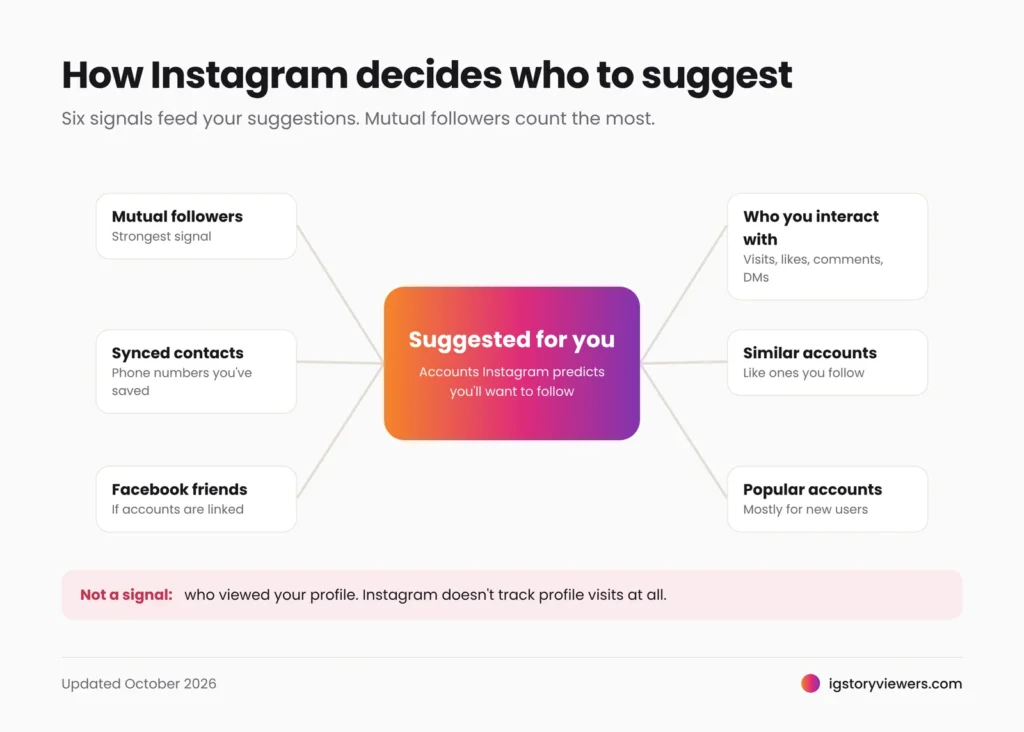
Instagram doesn't publish an exact formula, but the main signals are well known. Each one makes a person more likely to appear in your suggestions:
- Mutual followers. The strongest signal. If many people you follow also follow someone, they're likely to be suggested to you.
- Your synced contacts. If you've uploaded your phone contacts, people whose numbers are saved on your phone can be suggested, and you can be suggested to them.
- Facebook connections. If your Instagram is linked to Facebook through Accounts Center, Facebook friends can show up.
- Accounts you interact with. Profiles you visit, like, comment on or message shape who looks relevant to you.
- Accounts similar to ones you follow. Following a few bakeries tends to bring suggestions for more bakeries.
- Popular accounts. New users with little activity mostly see well-known accounts until Instagram learns their interests.
That's why an ex, a classmate or a coworker can appear out of nowhere. Usually you share contacts or followers with them, not that either of you has been looking.
What a suggestion does and doesn't mean
Suggestions get read into a lot. Here's what they can and can't tell you.
| If you see... | It does NOT mean... | It usually means... |
|---|---|---|
| Someone at the top of your suggestions | They viewed your profile | You share contacts, followers or Facebook friends |
| An ex or old friend suggested | They searched for you | One of you still has the other's number saved, or you share followers |
| You suggested to a stranger | They're tracking you | You have mutual followers, or similar interests |
| The same person suggested again and again | Anything personal | The connection signals haven't changed |
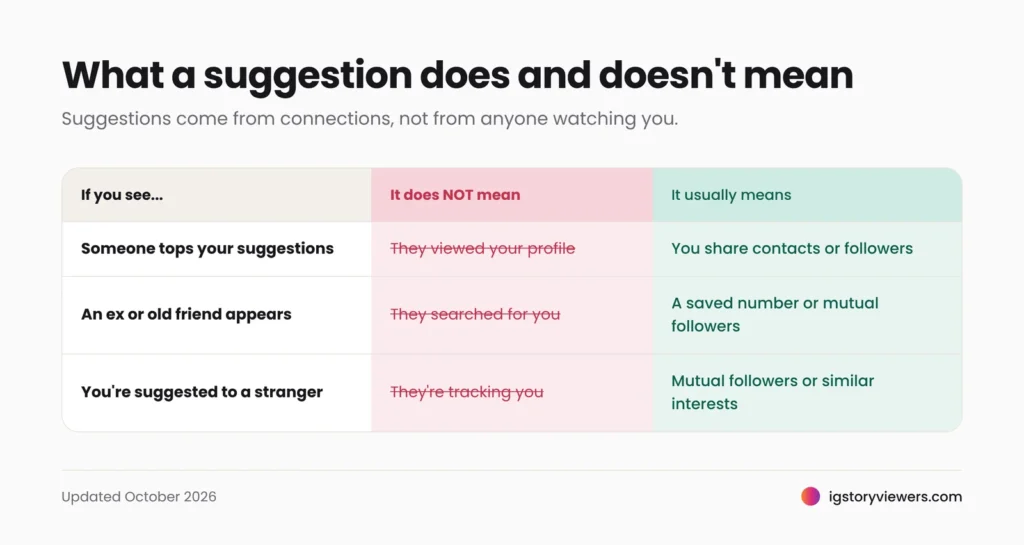
Instagram doesn't record who visits your profile at all, so no suggestion, app or website can reveal it. The only viewer list Instagram keeps is for stories. Our guide to who viewed my Instagram story explains exactly what that list shows. Its order follows interaction signals much like suggestions do.
Be wary of any site promising to reveal "who's looking at your profile" from your suggestions. Like fake private viewers, they're usually after your password. Here's what those sites really do.
How to turn off or reduce suggestions?
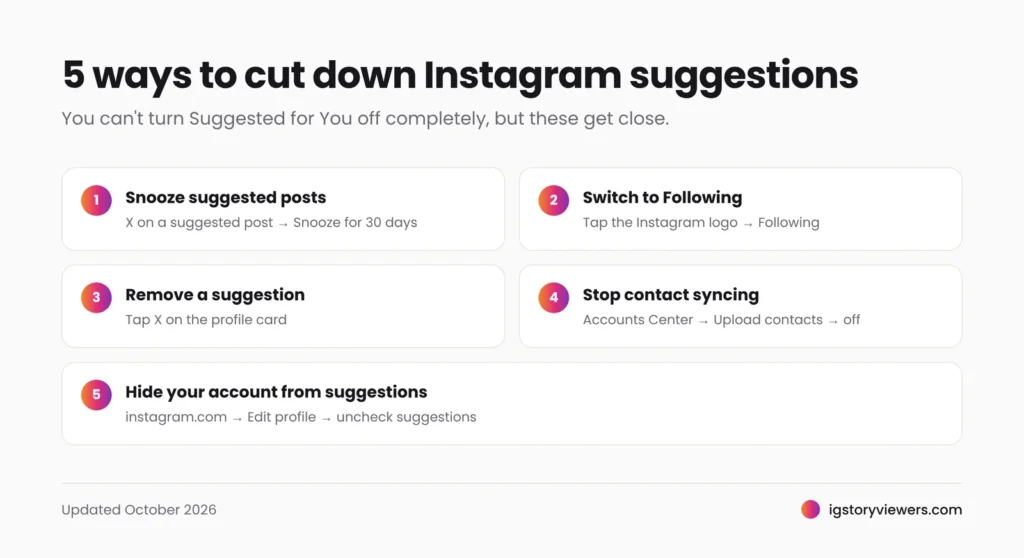
You can't switch Suggested for You off completely, but you can cut it down a lot.
Snooze suggested posts for 30 days
On any suggested post in your feed, tap the X (or the three dots) and choose Snooze all suggested posts in feed for 30 days. Repeat when it runs out.
Use the Following feed
Tap the Instagram logo at the top of your home screen and choose Following. You'll see only accounts you follow, newest first, with no suggestions mixed in.
Remove a suggested account
Tap the X on any suggested profile card. Instagram stops suggesting that person and learns from it.
Tell Instagram you're not interested
On a suggested post, tap the three dots, then Not interested. You'll see less content like it.
Stop syncing your contacts
In Accounts Center, go to Your information and permissions, then Upload contacts, and turn it off. This cuts down suggestions based on phone numbers, both to you and of you. Older app versions keep it under Settings, then Account, then Contacts syncing.
Stop your account being suggested on other profiles
On a computer, go to instagram.com, open your profile, click Edit profile and uncheck Show account suggestions on profiles. This setting has only been available on the website, not in the app.
None of this changes what other people can see. To control who sees your stories, make your account private or hide your story from specific people. From their side, a hidden story looks like any of the reasons in why you can't see someone's Instagram story.
FAQ
What does "Suggested for you" mean on Instagram?
It's an account or post Instagram recommends because it predicts you'll be interested, based on your connections and activity. It's not a sign that anyone has been looking at you.
Does Instagram suggest people who viewed my profile?
No. Instagram doesn't track profile visits, so they can't affect suggestions.
Why does Instagram suggest someone I only have as a phone contact?
Because one of you synced your contacts. Turning off Upload contacts in Accounts Center reduces this.
Will someone know if I remove them from my suggestions?
No. Removing a suggestion is private, just like checking your story viewer list.
Can I look at a suggested account without it affecting my suggestions?
Visiting a profile in the app counts as interaction, which can shape future suggestions. Viewing a public account's stories through a web viewer doesn't involve your account at all, as explained in how to view Instagram stories anonymously.
Check out a suggested account first
Curious about a suggested account before you follow? Copy its username or profile link and paste it into the IG Story Viewers story viewer to see its public stories, or the profile viewer to see its profile picture at full size. No login needed, and nothing is added to your Instagram activity.
Keep reading
- Instagram Tips
How to See Your Old Instagram Stories (and Your Watch History)
Instagram saves your expired stories in a private archive. Find them in a minute, fix an empty archive, restore deleted stories and check your Reels watch history.
- Instagram Tips
How to Share an Instagram Post to Your Story (or a DM)
One button handles almost all sharing on Instagram. Here's how to put a post on your story, send it in a DM or copy its link.
- Instagram Tips
Does Instagram Notify When You Screenshot a Story? (2026)
Instagram doesn't tell anyone when you screenshot or screen record a story. Here's where screenshots do matter in DMs, plus every rule in one table.