
··Published by Syed Abdullah Shah·8 min read
Can You See Who Views Your Instagram Profile? (2026)
Instagram never shows who viewed your profile, Reels or posts. Here's what you can see, what Insights count, and how to spot fake visitor apps.
In 2015, an app called "Who's Viewed Your Profile" climbed the App Store charts by promising to reveal Instagram profile visitors. Security researchers soon found it was sending users' passwords to a remote server. Apple and Google pulled it, but hundreds of thousands of people had already handed over their logins.
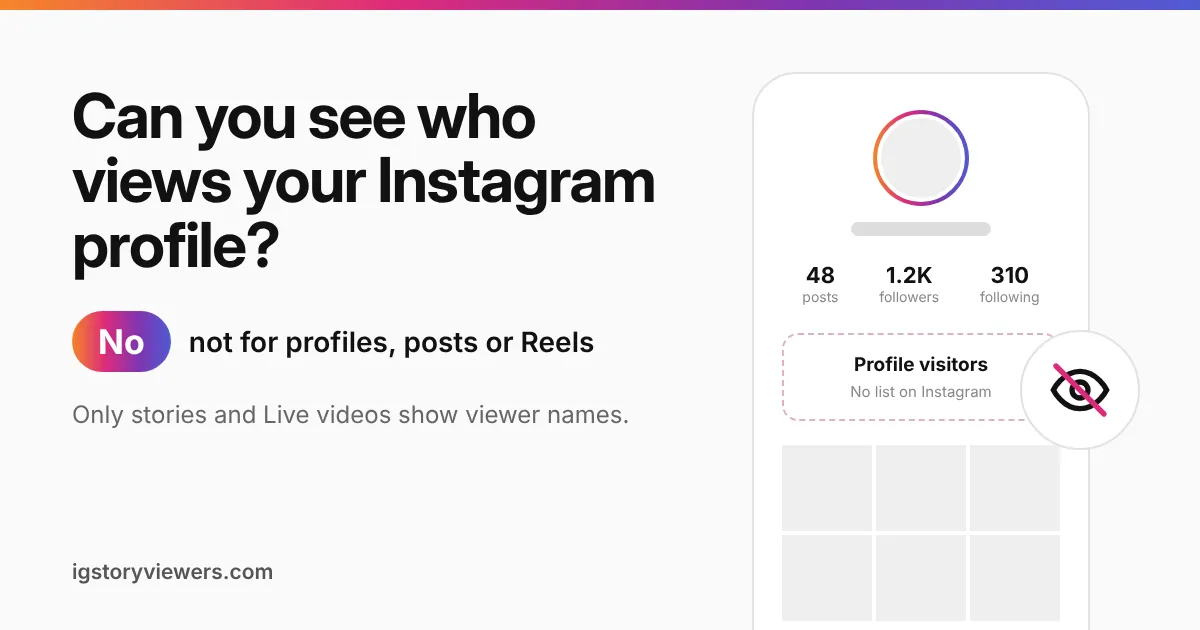
The short answer: No. Instagram doesn't show anyone who viewed their profile, and it never has. You also can't see who watched your Reels, videos or feed posts. Stories and Live videos are the only places where Instagram shows viewer names.
We run a public story viewer and a profile viewer, so we track closely what Instagram shows account owners. Below you'll find what you can see, what stays hidden, and why "profile visitor" apps are a risk.
Instagram doesn't show who visits your profile
Open your own profile and look for a visitor list. You won't find one, because Instagram doesn't offer it. Nobody gets a notification when you open their profile, scroll their grid or zoom in on their profile picture.
The same rule works in reverse. People can look at your profile as often as they like, and you'll never get their names. That holds for public and private accounts, personal and business accounts, and verified accounts too.
Instagram keeps it this way on purpose. Profile browsing is how people decide whether to follow someone. Showing visitor names would make many users stop browsing, which would hurt the app.
What Instagram shows you and what stays hidden
Each part of Instagram follows its own rule. Some show names, some only show a count, and some show nothing at all.
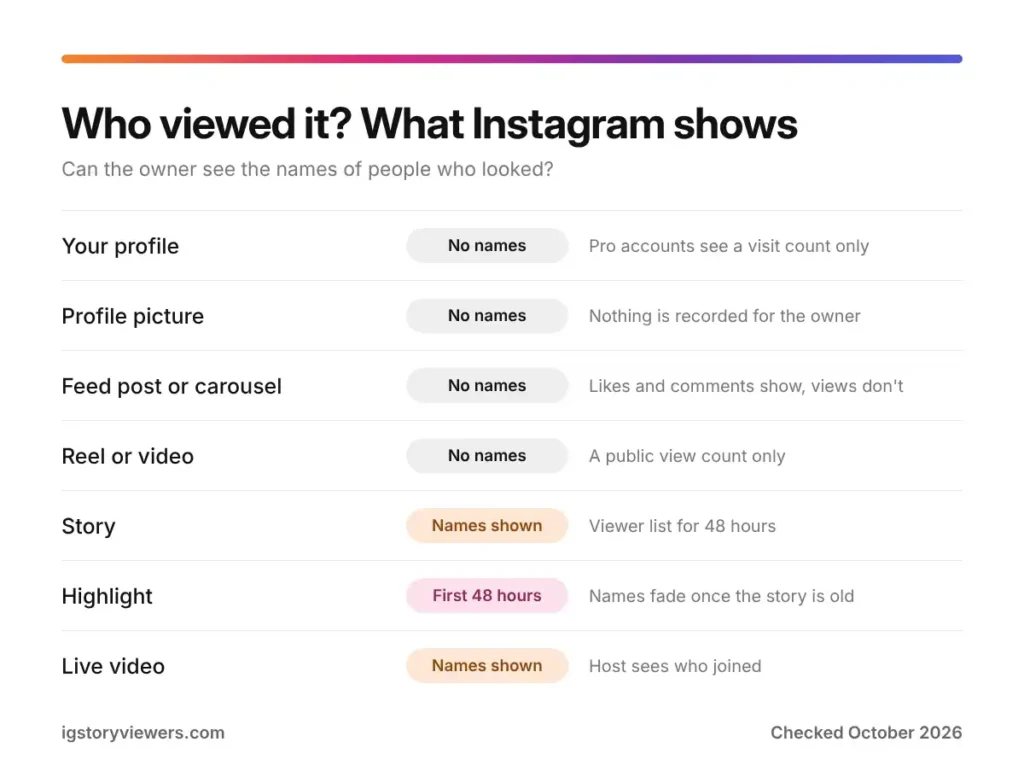
| What people look at | Can you see who viewed it? | What you get instead |
|---|---|---|
| Your profile | No | Professional accounts see a total of profile visits |
| Profile picture | No | Nothing |
| Feed post or carousel | No | Likes and comments, plus a view count in Insights |
| Reel | No | A public view count, plus likes and comments |
| Video in a post | No | A view count |
| Story | Yes | A viewer list with names for 48 hours |
| Highlight | Partly | Names show only while the story is under 48 hours old |
| Live video | Yes | The host sees who joined while it's live |
Stories have the most detailed list. Our guide on who viewed your Instagram story explains what that list shows and why some names sit at the top.
Can you see who watched your Reels or videos?
You can see how many times a Reel or video was watched, but not who watched it. Every Reel shows a play count on the video itself. That number counts views, so one person watching five times can add five.
In August 2024, Instagram made "Views" the main metric across Reels, photos, carousels, stories and Live. The change made counts easier to compare. It didn't add any names.
Likes are a different matter. Tap the likes under a post or Reel and you'll see the accounts that liked it, unless the owner hid like counts. Comments are public too. A like proves someone saw your post, while a silent view leaves no trace.
The Friends tab shows likes, not views
Instagram's Reels feed now has a Friends tab. It shows public Reels your friends liked, commented on, reposted or made. Many people read that as "Instagram shows what I watched," but it only reflects actions you took. Watching a Reel without reacting never puts it there.
You can also hide your own likes and comments from that tab in your settings. That way your friends won't see which Reels you reacted to.
Profile visits in Insights are just a number
Switch to a professional account and Instagram gives you Insights. One of those numbers is profile visits, which counts how often people opened your profile over a time period. You'll also see taps on the link in your bio and other buttons.
Here's how to find it:
- Open your profile and tap Professional dashboard.
- Tap Insights, then pick a date range.
- Look under Profile activity for profile visits and link taps.
Creator and business accounts are both free to set up. Even so, the visit count never comes with names or a list. Reels insights work the same way, with totals for views, likes, shares and watch time.
Your own Instagram data download doesn't list profile visitors either. Here's how to download your Instagram data and what the file actually contains.
Why "who viewed my profile" apps are a trap
Instagram doesn't share profile visitor data with anyone, including outside apps. So any app claiming to show your visitors is making the list up. Usually it picks people who like your posts often, then labels them as "top stalkers."
The bigger problem is what these apps ask for. Most want you to log in with your Instagram username and password. Once they have it, they can post spam, follow accounts in your name or lock you out. The 2015 app mentioned above did exactly that before it was removed.
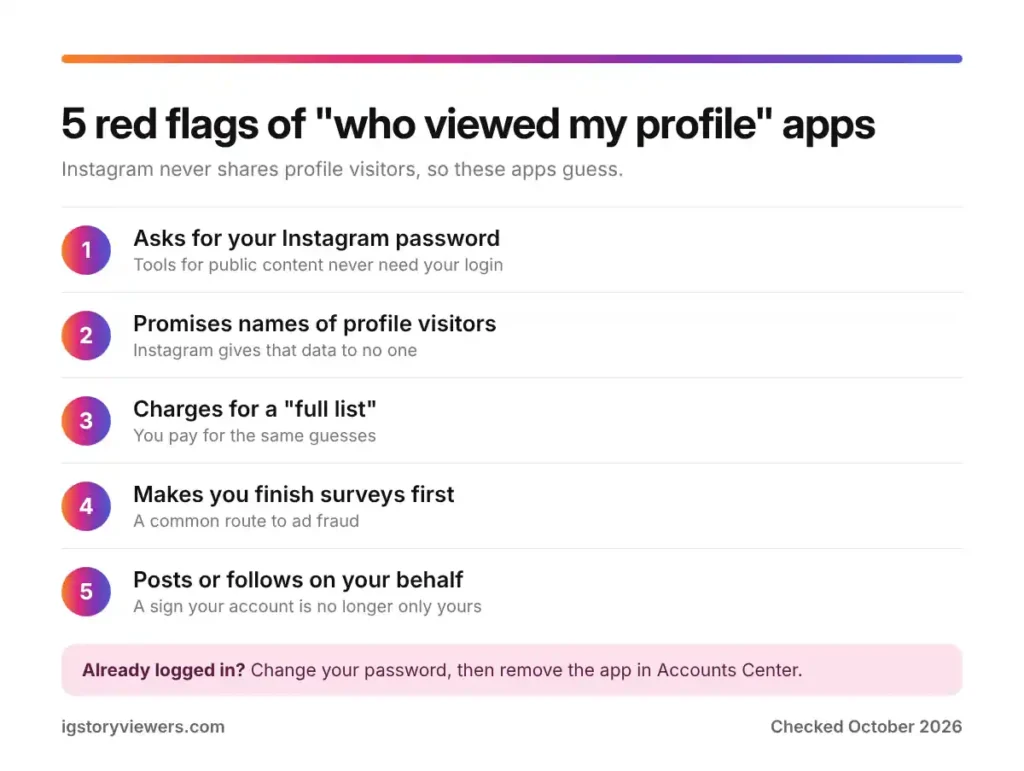
Watch for these warning signs:
- It asks for your Instagram password. Real tools for viewing public content never need it.
- The app promises names of profile visitors. Instagram doesn't give that data out, so the names are guesses.
- A "full list" costs money. Paying unlocks the same guesses, now with your card details attached.
- You must complete surveys first. That's a common route to ad fraud and fake downloads.
- Strange posts or follows appear on your account. Change your password right away if you spot activity you didn't do.
Already logged in to one of these apps? Change your Instagram password right away. Then open Settings and activity, go to Accounts Center, and remove the app from your connected apps and active logins.
Signs someone may be looking at your profile
Without a visitor list, you're left with clues. None of them prove anything, but together they can hint at who's paying attention.
- They watch every story. Your story viewer list shows names, so regular viewers stand out.
- An old post gets a like. A like on something from months ago usually means they scrolled deep into your grid.
- A follow request arrives. On a private account, a request shows they found your profile.
- Someone mentions a post of yours. If a friend brings up a post you never sent them, they saw it somewhere.
One thing that isn't a clue is "Suggested for you." A suggestion is built from mutual follows, contacts and shared activity. Our post on what Instagram Suggested for You means covers why a suggestion doesn't mean someone viewed your profile.
Can someone tell you looked at their profile?
No, as long as you only look. Opening a profile, scrolling posts and viewing the profile picture leave nothing behind. Stories are where people get caught, because viewing one adds your name to the owner's list.
Accidental taps can also give you away. A double tap on an old photo leaves a like, and the owner gets a notification. Removing the like quickly helps, but the notification may already have arrived.
Want to look at a public profile without any of that risk? Paste the username into our Instagram profile viewer to see the full-size profile picture, bio and follower counts without logging in. For stories, the story viewer keeps your name off the viewer list, and the Highlights viewer does the same for Highlights. All three work for public accounts only.
Read more about how to view Instagram stories anonymously and what each method can and can't do.
FAQ
Can people on Instagram see who viewed their profile?
Instagram doesn't show profile visitors to anyone. Professional accounts see only a total number of profile visits in Insights, never names.
Does Instagram tell you who viewed your profile if you have a business account?
A business or creator account adds Insights, which count profile visits and link taps. The count stays anonymous, so you still can't tell who visited.
Can you see who views your videos on Instagram?
Videos and Reels show a view count but no list of viewers. You'll see names only for people who liked, commented or shared.
Can you see who viewed your Reels on Instagram?
Reels show public view counts, and Insights add totals for watch time and shares. Instagram doesn't show which accounts watched. You can save a public Reel with our Reels downloader without logging in.
Does Instagram notify someone when you view their profile picture?
Viewing or zooming in on a profile picture sends no alert. Screenshots of a profile don't either, as our guide on whether Instagram notifies screenshots explains.
Will Instagram ever add a profile viewer list?
No plans for one have been announced. Its recent changes focused on view counts and the Friends tab, both of which keep viewers anonymous. We'll update this post if that changes.
The bottom line on Instagram profile views
Instagram doesn't tell anyone who viewed their profile, Reels, videos or posts. Stories and Live videos are the only places with viewer names, and Insights give professional accounts a count without names. Any app that promises a visitor list is guessing, and many of them are after your password.
Want to check a public profile without logging in? Open the profile viewer and paste a username.
Keep reading
- Instagram Tips
How to See Your Old Instagram Stories (and Your Watch History)
Instagram saves your expired stories in a private archive. Find them in a minute, fix an empty archive, restore deleted stories and check your Reels watch history.
- Instagram Tips
How to Share an Instagram Post to Your Story (or a DM)
One button handles almost all sharing on Instagram. Here's how to put a post on your story, send it in a DM or copy its link.
- Instagram Tips
Does Instagram Notify When You Screenshot a Story? (2026)
Instagram doesn't tell anyone when you screenshot or screen record a story. Here's where screenshots do matter in DMs, plus every rule in one table.